AI is quickly becoming a standard layer across digital products, but the interactions around it are starting to look familiar. Across chat tools, copilots, search experiences, and assistants, many teams are using the same few patterns, prompt and response, inline suggestions, generated summaries, and automation flows. Recent reporting from Stanford HAI and McKinsey suggests the market is maturing fast, which makes this moment especially important for designers. The question is no longer whether products will use AI. It is whether the experience around that intelligence actually feels useful, trustworthy, and well designed.
This is where critique becomes valuable. Most current AI products are not failing because the model is weak. They are struggling because the interaction model is still shallow. The output may be impressive, but the experience often leaves too much work to the user, too little explanation, and too few cues about confidence, context, or control.
The AI patterns showing up across today’s products
When you look across the market, the same interaction structures keep appearing. They make sense as early conventions, but they also reveal where the design work still needs to go.
The market is moving quickly, but speed does not automatically create better interactions. In many cases, it simply repeats the first pattern that felt good enough.
Where these patterns still fall short
The common weakness across these experiences is not intelligence. It is interpretation. Most systems are very good at generating language. They are less reliable at understanding what kind of moment the user is actually in.
A person may be exploring, deciding, comparing, feeling uncertain, or trying to describe something they do not fully understand yet. That difference matters. A product that treats every input the same way may still produce polished output, but it often feels slightly off. It responds to the text, not to the situation.
unclear user intent, too much cognitive load in the prompt box, no way to inspect reasoning, no easy correction path, and no visible difference between low-confidence and high-confidence output.
A more useful lens for designers
One practical way to evaluate an AI interaction is to stop asking whether the feature is impressive and start asking what job the interface is doing around the model. Is it helping the user frame a request, understand the response, correct the system, and move forward with confidence?
The interface opens with an empty field and the instruction “Ask anything.”
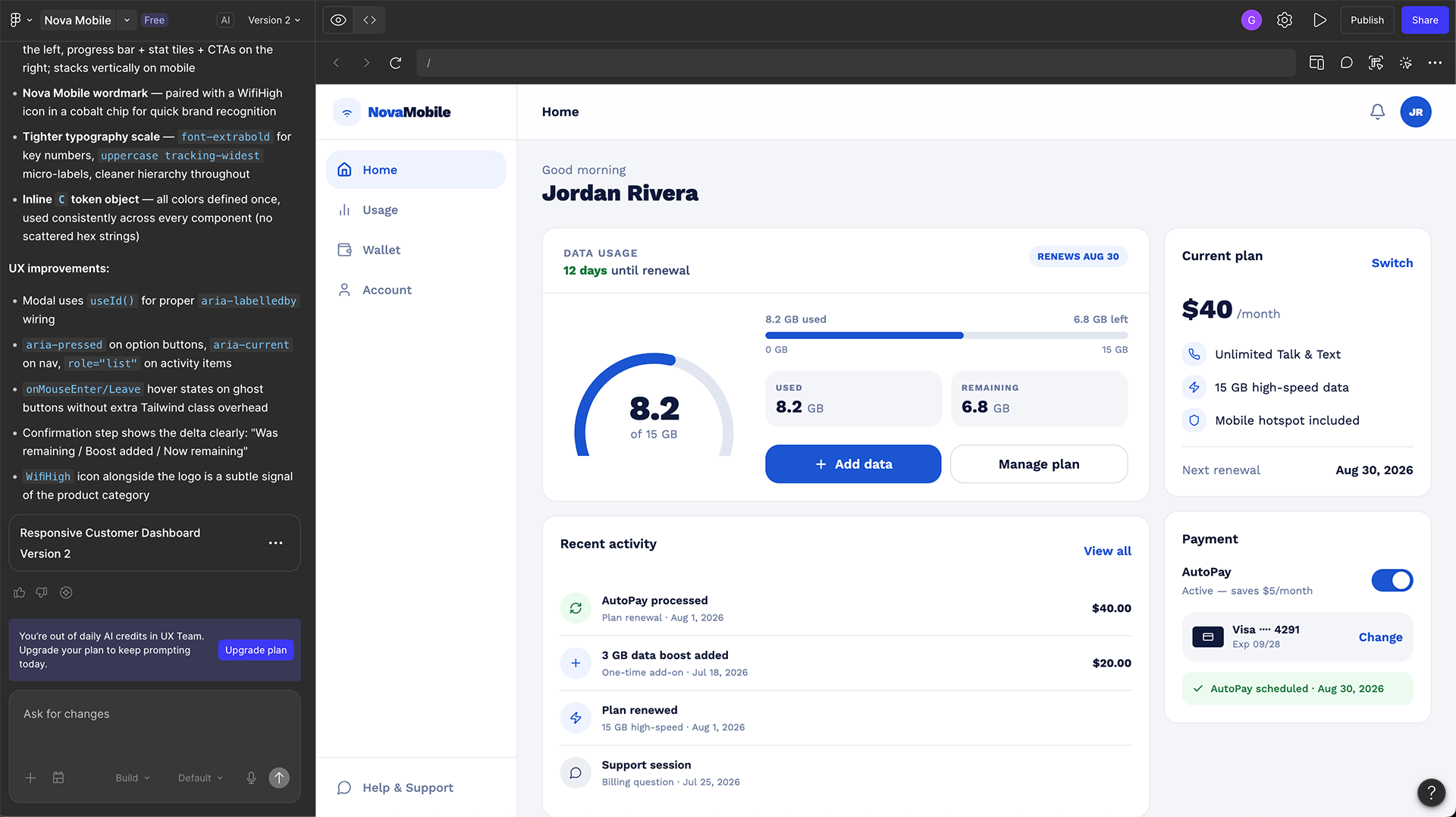
The interface helps the user choose a goal, compare options, add context, and understand what kind of answer the system can give well.
That shift may sound small, but it changes the role of design. Instead of decorating an AI output, the interface starts shaping comprehension, trust, and decision-making.
Practical examples designers can apply in their own work
This is the part that matters most. If you are designing an AI feature in your own product, there are several concrete ways to move beyond the default pattern.
1. Replace the blank prompt with goal-based starting points
An empty field creates unnecessary pressure. Many users do not yet know how to phrase what they want. Instead of “Ask AI,” give them a few clear entry paths based on real tasks.
2. Add a clarification step before generating a final answer
If the request is broad or ambiguous, the best experience is often not an immediate answer. It is one thoughtful follow-up question. This reduces rework and makes the system feel more attentive.
“Do you want a quick summary, a recommendation, or a step-by-step plan?”
3. Show why the result was generated
When the system produces a recommendation, summary, or next action, users need cues that explain what shaped it. They do not need a technical essay. They need a readable reason.
4. Design for recovery, not just success
Most AI interfaces are overly optimistic. They are designed for a good answer on the first try. Stronger experiences assume the model may misunderstand, overreach, or need direction.
A simple project exercise for creating a better AI pattern
If you want to go beyond critique and actually invent something new, a useful exercise is to redesign a familiar AI feature around context instead of output.
| Stage | What the system does | What the user gains |
|---|---|---|
| Interpret | Reads the request and detects likely task type | Less burden on the user to prompt perfectly |
| Align | Asks one brief follow-up when intent is unclear | More accurate direction before output appears |
| Respond | Generates answer with reasoning, confidence, and edit options | Better trust, better correction, better control |
What recent market trends suggest
The broader industry direction makes this work more relevant, not less. Stanford HAI’s 2025 AI Index points to rapidly rising adoption and investment, while McKinsey’s 2025 reporting highlights workflow redesign as one of the strongest drivers of real business value. In other words, the conversation is moving beyond novelty. Teams are starting to ask what AI changes in the product itself, not just what it can generate.
That is good news for designers. It means there is room, and need, for more thoughtful interaction design. The next competitive advantage will not come from adding AI as a label. It will come from designing experiences that help people understand what the system is doing, when to trust it, and how to stay in control.
The strongest AI products will not be the ones that generate the most. They will be the ones that make people feel oriented, supported, and able to act with confidence.
Final thought
AI interaction design is still early, but the first conventions are already visible. That makes this a good time to study them carefully, challenge where they fall short, and use your own projects as a place to test better alternatives.
For designers, the goal is not to make AI feel magical. It is to make the experience around intelligence clear enough, human enough, and resilient enough to be genuinely useful.