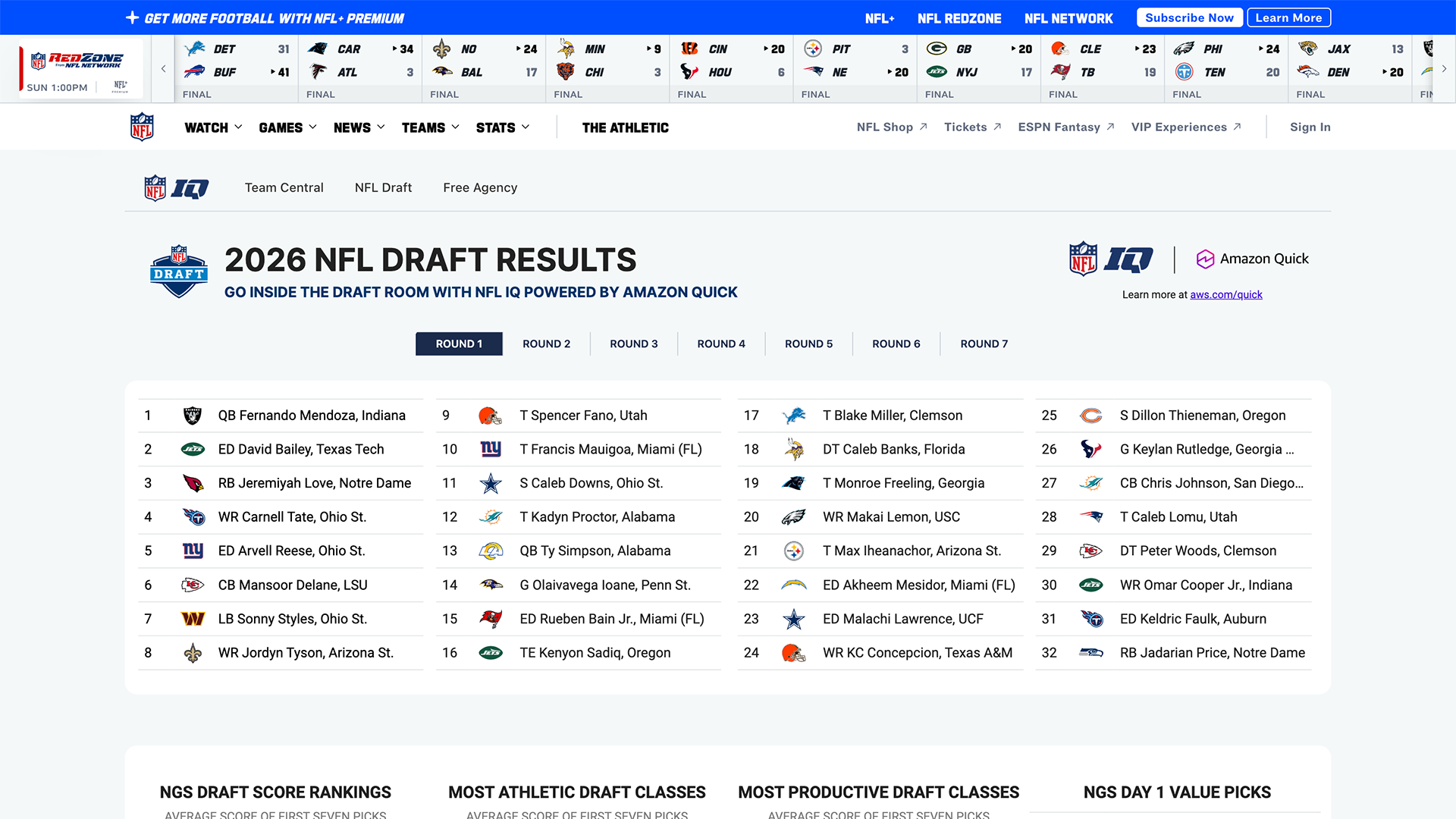
Amazon Quick powers NFL IQ, an interactive football intelligence product from NFL Next Gen Stats. The public experience brings team information, statistics, draft analysis, free-agency content, predictive insights, and scenario-based tools into one place so fans can explore complex NFL data without assembling it across multiple sources.
NFL IQ is the customer-facing product example in this article. It shows the kind of data-rich experience Amazon Quick can support. The second example is for product designers: I used Apps in Amazon Quick to create a working Product Discovery Hub from a detailed natural-language brief.
Together, the two examples answer different questions. NFL IQ shows what Amazon Quick can power for users. The Product Discovery Hub shows how a product designer can use Amazon Quick to turn requirements, data, workflows, and decision rules into a testable application.
Amazon Quick is not only a chat tool. It combines analytics, connected information, application building, and workflow automation—the ingredients needed to create complete products around complex data.
What NFL IQ Is
NFL IQ is an interactive analytics experience organized around three primary areas: Team Central, NFL Draft, and Free Agency. The public product focuses on football intelligence rather than a traditional article feed. Fans can move through structured information, compare possibilities, and explore how different factors affect a team’s decisions.
The product sits on top of a complicated information ecosystem. NFL Next Gen Stats works with player-tracking data, roster composition, team needs, draft models, historical selections, contextual metrics, definitions, and editorial analysis. A useful experience has to make that complexity understandable without requiring every fan to know where each dataset lives.
How Amazon Quick Powers the Product
Amazon Quick provides the foundation for bringing analytics, structured data, contextual information, and interactive product surfaces together. For NFL IQ, that means the visible experience can present multiple types of football intelligence through a shared analytics environment rather than treating every dashboard or tool as an isolated destination.
From a product-design perspective, the important lesson is the relationship between the layers:
AWS also published a customer story describing an AI assistant built for NFL IQ with Amazon Quick. According to that case study, the assistant was designed to use the same data models, metric definitions, predictive models, and curated content as the analytics experience. AWS describes questions about likely draft selections, alternative players, general-manager tendencies, and draft history.
That assistant is an additional capability documented by AWS; it is not the primary public interface examined here. In the current public NFL IQ experience, the clearly visible product is the statistics, analysis, navigation, and scenario-based tooling. This article therefore uses NFL IQ first as an example of a complete analytics product powered by Amazon Quick.
Important distinction: NFL IQ, the AWS-documented AI assistant, the separate AI‑Driven Product Development Lifecycle (AI‑PDLC) sample, and my Product Discovery Hub are related Amazon Quick examples, but they are not the same project. AWS has not publicly stated that the NFL used the AI‑PDLC sample, Jira, Figma, or my workflow to create NFL IQ.
What Product Designers Can Learn from NFL IQ
NFL IQ demonstrates that an AI-powered product is more than its interface. The quality of the experience depends on how the product connects information, models the domain, explains complex output, and gives users useful ways to explore it.
The transferable lesson is not to copy a football dashboard. It is to design a product in which data, analytics, interaction, and explanation work as one system. Amazon Quick gives teams a platform for assembling those pieces.
What Amazon Quick Is
Amazon Quick is an AWS service for working across organizational knowledge, business data, applications, and workflows through natural language. It brings several capabilities together: research, analytics, dashboards, app creation, repeatable flows, and cross-system automation.
| Capability | What it does | Product design opportunity |
|---|---|---|
| Quick Sight | Business intelligence, visual analytics, and dashboards. | Pair a conversational answer with charts, filters, trends, and inspectable evidence. |
| Quick Research | Research across connected information and sources. | Create evidence briefs, competitive scans, or synthesized insight with traceability. |
| Quick Flows | Reusable workflows that move work through repeatable steps. | Turn a successful one-off process into a consistent team workflow. |
| Quick Automate | Coordinates tasks across connected systems. | Design review and approval moments before an agent changes external systems. |
| Apps in Quick | Natural-language creation of purpose-built workplace applications. | Prototype tools around a specific role, decision, or operational task. |
| Quick Index | Provides an enterprise knowledge layer across connected content. | Give an experience persistent organizational context rather than a cold start. |
The strategic difference is orchestration. A general chat tool can draft an answer. A connected agentic system can find authorized information, analyze it, create an artifact, ask for approval, and continue the task in another system. That added agency makes interaction design more consequential.
How Amazon Quick Can Help a Product Team
Product knowledge is usually scattered. Research notes may live in documents, feature requests in Jira, customer conversations in Slack or Salesforce, designs in Figma, and implementation history in GitHub. Every handoff requires someone to reconstruct why a decision was made.
AI‑PDLC stands for AI‑Driven Product Development Lifecycle. It is a structured, AI-native methodology for product managers, business analysts, program managers, and designers. The AWS sample project AI‑Driven Product Development with Amazon Quick and Kiro uses Amazon Quick agents to guide a product team through four stages—Discover, Decide, Design, and Prototype—moving from customer evidence to prioritization, requirements, and a build-ready prototype specification. It should be understood as a reference implementation, not proof that every team will achieve the same results.
If the video does not load, watch AI‑Driven Product Development with Amazon Quick and Kiro on YouTube.
1. Discover
A discovery agent gathers pain points from connected, authorized sources, clusters repeated themes, and links each finding back to evidence. Instead of treating a synthetic summary as research truth, the team reviews the underlying material and identifies missing voices or weak evidence.
2. Decide
A prioritization agent scores candidate opportunities against explicit criteria such as user impact, confidence, reach, effort, risk, or strategic fit. The value is not that the model makes the decision. The value is that assumptions and tradeoffs become visible enough for humans to challenge.
3. Design
Working Backwards and specification agents can turn an approved opportunity into a PR/FAQ, requirements, user stories, acceptance criteria, edge cases, and a design handoff. A designer can then interrogate the logic before polishing screens: Which need is supported by evidence? Which requirement is inferred? What happens when the agent is wrong?
4. Prototype
A designer agent or coding agent can translate the approved specification into journey maps, wireframes, or a working prototype. The shared specification becomes a contract between product, design, and engineering, reducing the repeated explanation that normally happens at each handoff.
Agents can draft artifacts and execute steps. People still own the problem, the evidence, the approval, and the consequences.
What the AI‑PDLC Demonstration Actually Claims
In the video, AWS presents discovery moving from two–four weeks to 45 minutes and prototyping moving from eight–12 weeks to three–four hours. These numbers are compelling, but they should be labeled accurately: they are results claimed in the demonstration, not an independent benchmark or a promise for every organization.
The strongest lesson is not the exact number of hours. It is where time can be removed:
- Searching across disconnected repositories for the same evidence
- Reformatting context into a new document at every phase
- Repeating background information during design and engineering handoffs
- Creating first drafts of structured artifacts manually
- Losing the rationale that connects a requirement to a customer problem
Some work should not be compressed. Recruiting representative research participants, observing behavior, resolving ethical concerns, validating accessibility, and making consequential product decisions still require human time and accountability.
The Six-Agent Product Team Model
The public AWS sample repository defines an orchestrator plus five specialist agents. Each specialist produces a recognizable product artifact, while humans approve movement between phases.
| Agent | Primary job | Human responsibility |
|---|---|---|
| Orchestrator | Acts as the entry point, maintains context, and delegates work. | Set the goal, boundaries, permissions, and stopping conditions. |
| Discovery | Finds, clusters, and summarizes customer pain points. | Check source quality, representation, privacy, and gaps. |
| Prioritization | Scores use cases using transparent criteria. | Choose criteria, challenge weights, and make the decision. |
| Working Backwards | Drafts a PR/FAQ to clarify customer value and product intent. | Validate the promise, audience, feasibility, and risks. |
| Spec Generator | Creates requirements, acceptance criteria, and build context. | Resolve ambiguity and approve what counts as done. |
| Designer | Creates journey, wireframe, and prototype direction. | Own interaction quality, inclusion, accessibility, and validation. |
How Connected Tools Change the Workflow
The reference architecture shows possible connections to tools such as Slack, Jira, GitHub, Figma, Salesforce, and Miro. The point is not that every team must connect every tool. It is that the agent can work with the systems where product evidence and delivery already live—subject to supported integrations, configuration, and permissions.
This creates a traceable chain: a source supports a pain point, the pain point affects a score, the score supports a decision, the decision becomes a requirement, and the requirement becomes a prototype or build task. For designers, that chain is more valuable than a pile of AI-generated screens.
A Product Designer’s Prompt for the Orchestrator
A useful prompt should establish the job, evidence standard, decision gates, and required artifacts. It should not simply ask the system to “design a feature.”
What Else Can Be Built With Amazon Quick?
The NFL example is memorable, but the underlying pattern applies anywhere people need to reason across complex information and then act. AWS has published examples spanning clinical research, compliance, insurance operations, customer research, manufacturing, and internal project execution.
Product concepts worth exploring
For a portfolio project, the goal is not to copy NFL IQ. Choose a domain where fragmented evidence, repeated handoffs, and consequential actions create a genuine UX problem.
The Interface Patterns Agentic Products Need
Agentic AI does not only generate content; it may plan work, use tools, and affect other systems. That requires patterns beyond a familiar chat window.
| Pattern | User question it answers | Design requirement |
|---|---|---|
| Plan preview | What is the agent going to do? | Show steps, tools, inputs, and expected outputs before consequential work begins. |
| Permission boundary | What can it access or change? | Use clear, contextual consent instead of vague global authorization. |
| Approval gate | When do I regain control? | Pause before external writes, messages, purchases, publication, or high-impact decisions. |
| Evidence trace | Why should I trust this? | Link claims to sources and distinguish evidence from inference. |
| Progress state | What is happening now? | Show meaningful milestones, blockers, and remaining work—not decorative typing indicators. |
| Editable artifact | Can I shape the result? | Make generated plans, specifications, and outputs directly reviewable and revisable. |
| Undo and recovery | What if it is wrong? | Support cancellation, rollback where possible, correction, and a visible record of actions. |
| Uncertainty signal | What does the system not know? | Expose ambiguity, missing evidence, conflicting sources, and confidence limits. |
How to Prototype an Agentic AI Concept
A convincing portfolio case study should test the agent’s behavior, not only draw the chat surface. Prototype the moments where control changes hands.
- Map the current journey. Show where people search, copy, reconcile, wait, and repeat context.
- Choose one bounded agent job. Define the outcome, permitted sources, actions, and explicit non-goals.
- Model autonomy levels. Compare “suggest,” “draft,” “act after approval,” and “act automatically” for each step.
- Prototype the control points. Include permissions, plan preview, progress, approval, error, correction, and undo.
- Use realistic evidence. Design citations, contradictory sources, missing data, and uncertainty—not a perfect happy path.
- Test comprehension and trust. Ask whether users know what happened, why it happened, and what they can do next.
- Measure the complete outcome. Track accuracy, rework, time to verified decision, successful recovery, and appropriate reliance—not only speed.
My Amazon Quick Apps Experiment
To understand the product-design potential beyond NFL IQ, I used Apps in Amazon Quick to create a working Product Discovery Hub. The experiment asks a practical question: can a natural-language brief become a usable internal product that helps a cross-functional team move from scattered customer feedback to a reviewable product concept?
The fictional scenario uses 20 feedback items for a mobile sports application. The feedback includes navigation problems, difficulty finding live statistics, notification overload, accessibility barriers, performance issues, and difficulty comparing players. No confidential customer or employer data is included.
The Exact Prompt
The prompt is detailed because visual style is only one part of the product. It also defines the users, information architecture, data model, prioritization logic, evidence requirements, human decision point, and failure states. That gives the generated application product direction rather than only aesthetic direction.
Try the Live Product Discovery Hub
The published prototype is interactive. Explore the overview, filter the customer insights, inspect the pain-point themes, change the prioritization inputs, review the concept brief, and examine how human approval is represented.
Product Discovery Hub
Explore the working customer-insight, prioritization, concept-brief, and human-approval flow.
Open live prototype ↗What the Generated App Demonstrates
How I Would Evaluate the Prototype
A generated application can look convincing before its reasoning is trustworthy. I would test whether product-team participants can understand where a recommendation came from, change the scoring model, identify AI-generated interpretation, and stop an unsupported concept from moving forward.
What Still Requires Product-Design Judgment
The fictional dataset makes the workflow demonstrable, but it does not validate the customer problems. The prioritization formula is also a product hypothesis: changing the weights can change what the system recommends. A mathematically precise score can still encode weak assumptions.
The concept therefore needs research with real product teams, accessibility testing, review of the scoring criteria, and validation of whether the approval flow fits existing decision-making. If connected to Jira, Slack, Figma, GitHub, or customer systems later, permissions and external actions would need even stronger confirmation and recovery patterns.
Amazon Quick generated the working application. Product design is still responsible for deciding whether the workflow, evidence, autonomy, and outcome are trustworthy.
The designer’s job is no longer limited to arranging screens. It includes shaping agency: what the system may do, when it must ask, and how a person can understand or reverse the result.
Where Product Designers Add the Most Value
A Strong Portfolio Case Study Structure
If you use Amazon Quick in a portfolio concept, make your reasoning more visible than the generated interface.
Can You Try Amazon Quick for Free?
AWS currently advertises a 30-day Amazon Quick Enterprise trial for up to 25 users, with no credit card required to begin and eligible service fees waived during the trial. Terms, availability, connected services, and usage charges can change, so confirm the current offer on the official pricing or product page before starting.
For a focused design experiment, do not begin by connecting every system. Start with sanitized or fictional content, one clearly bounded workflow, and no production write access. Test whether the proposed interaction improves understanding before expanding autonomy.
Frequently Asked Questions
Is NFL IQ powered by Amazon Quick?
Yes. NFL IQ identifies the experience as powered by Amazon Quick, and AWS has published a customer story about NFL Next Gen Stats using Amazon Quick for NFL IQ. The public product centers on football statistics, team information, draft and free-agency analysis, and scenario-based tools.
Is the NFL IQ AI assistant the same as the public NFL IQ experience?
Not exactly. AWS documents an AI assistant built for NFL IQ, but the clearly visible public experience currently centers on analytics, statistics, navigation, and interactive football tools. This article discusses the assistant as an additional documented capability rather than presenting NFL IQ as primarily a chatbot.
Did the NFL use the Amazon Quick AI‑PDLC workflow?
AWS has not publicly documented that. The NFL IQ story and the AI‑PDLC demonstration are separate examples, and this article does not claim otherwise.
Does Amazon Quick replace Jira, Figma, or a coding tool?
Not necessarily. Its value is coordinating knowledge and work across a team’s environment. The exact integrations and actions depend on what an organization supports, configures, and permits.
Does agentic AI replace product designers?
No. It can accelerate synthesis, drafting, structured workflows, and prototyping. Product designers are still responsible for framing the problem, understanding people, designing control and feedback, validating behavior, protecting accessibility, and challenging whether the proposed product should exist.
Are the AI‑PDLC time savings guaranteed?
No. The 45-minute discovery and three–four-hour prototype figures appear in the AWS demonstration. Actual results depend on data quality, organizational complexity, integrations, governance, review requirements, and the scope of the product.
Can an Amazon Quick app be shared as a public prototype?
Yes. Public apps on eligible Amazon Quick accounts can be shared through a URL and opened without signing in. Public apps have additional restrictions, so teams should review data, integrations, permissions, and usage before publishing.
The Larger Product Design Lesson
NFL IQ shows what Amazon Quick can power for end users: a data-rich product that organizes complex information into usable analytics, comparisons, and scenario-based tools. The AI‑PDLC sample shows how Amazon Quick can coordinate product work across discovery, prioritization, specification, and prototyping. My Product Discovery Hub demonstrates how a product designer can use Amazon Quick Apps to turn a detailed brief into a working application.
These examples operate at different levels, but together they show the platform’s product-design potential. Amazon Quick can support the customer-facing experience, the internal process used to define a product, and the rapid creation of a prototype for testing.
None of this removes the need for design. Product designers still decide which problem matters, how the information should be structured, what evidence supports a recommendation, where people need control, and whether the resulting product is understandable, accessible, and trustworthy.
Amazon Quick can accelerate the path from connected data to a working product. Product design determines whether that product solves the right problem in a clear, useful, and trustworthy way.
See More Product Design Research in Google
Add UX Designer Pro as a preferred source to see more of our UX, AI, and product-design articles in Google Search.
Add as a preferred source ↗Sources and further reading:
NFL IQ, public football intelligence experience powered by Amazon Quick
AWS for M&E Blog, How NFL Next Gen Stats Built the NFL IQ AI Assistant with Amazon Quick
AWS, Amazon Quick product overview
AWS Documentation, Build web applications with Apps in Amazon Quick
UX Designer Pro, Product Discovery Hub prototype created with Amazon Quick
AWS, AI‑Driven Product Development with Amazon Quick and Kiro
AWS Samples, AI‑PDLC using Amazon Quick
AWS Industries Blog, Kitsa KScout clinical trial site selection
AWS Industries Blog, dLocal compliance reviews with agentic AI